Title presets
Browse title looks drawn with your own words, change a title's look, and save a title as your own preset.
A title preset is a look: fonts, colors, layout and animation. Every card in the browser shows your own words in that look.
Change a title's look#
- Select the title clip in the Premiere timeline.
- Click
Presetsin the Title view toolbar. - Pick a group from the rail on the left. Hover a card to play its animation.
- Click a card to apply that look.
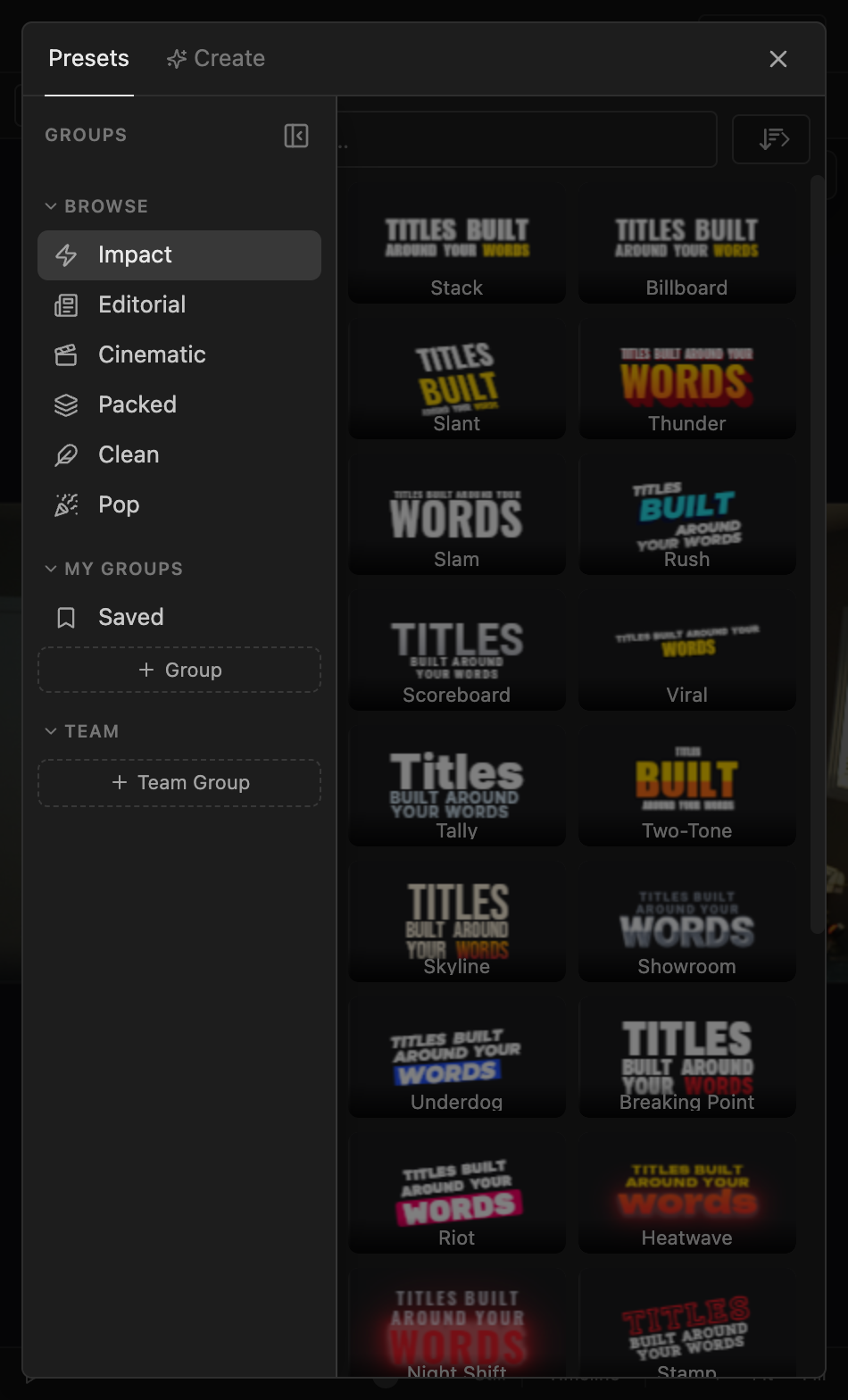
The rail has Browse (Brevidy's curated groups), My Groups (your saved presets) and Team (groups shared with your team). The search box searches only the open group. Click Reset in the toolbar to undo your changes to the preset.
Save a title as a preset#
- Select the title and get it looking the way you want.
- Click
Savein the Title view toolbar. - Type a
Nameand choose aGroup, or leaveSaved (no group). - Check the two
On other wordspreviews. They show your look on different text. - Click
Save preset.
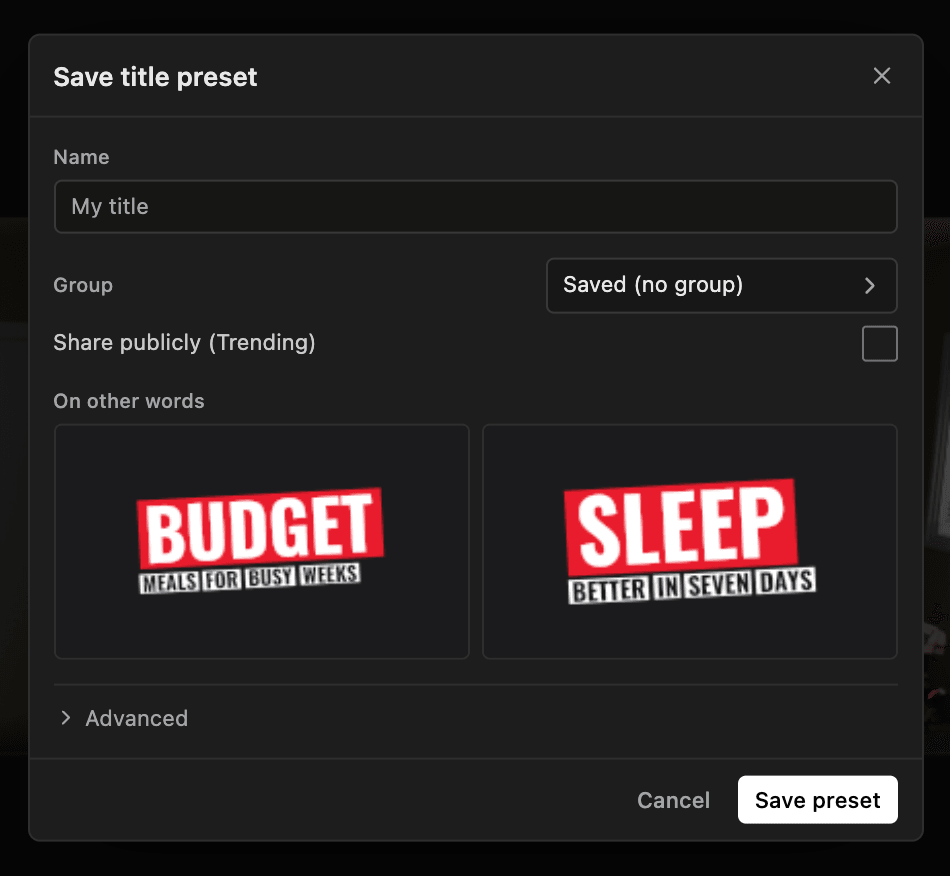
The previews pulse for a few seconds while Brevidy works out how the look styles new words. Click Advanced to change those notes.
Design a look with Create#
With a title selected, the preset browser also has a Create tab. Describe a title style, or drop in a screenshot, and Brevidy designs looks using your title's words. It works like Preset Studio for captions.
What's on paid plans#
Making new titles, applying or saving title presets, and the Create tab are on paid plans.
On Free, you can still edit titles already in your projects: change the words, move and resize them, restyle the looks they already have, and change their timing. They play and export as usual.
Good to know#
- A title needs a preset before you can save it. Otherwise you'll see "This title can't be saved as a preset yet. Apply a preset to it first."
- Personal presets count toward your plan's preset limit. Presets saved to a team group don't. See Save a style as a preset.
- Team groups need a team plan and the creator role. See Team plans.