Block settings
Position, size, line spacing, block animation, background, block effects, upcoming words and gap hiding for the whole caption block.
Block settings apply to the whole caption block, the lines on screen at one time. Open them with Style > Edit > Block.
Position and size#
Position:Top,MiddleorBottom.Padding: moves the block up or down from there.Scale: the overall caption size.
This is the only way to move or resize captions. You can't drag them in the Program Monitor.
Formatting#
Click Formatting.
Leading: the space between lines.Paragraph Align:Left,CenterorRight.Scale Lines to Fit: scales shorter lines up to the width of the longest.Max Resizecaps how much a line grows.
Block Animation#
Click Block Animation.
Intro StyleandOutro Style: how the block appears and leaves. See Block animations.Wiggle: constant subtle motion.
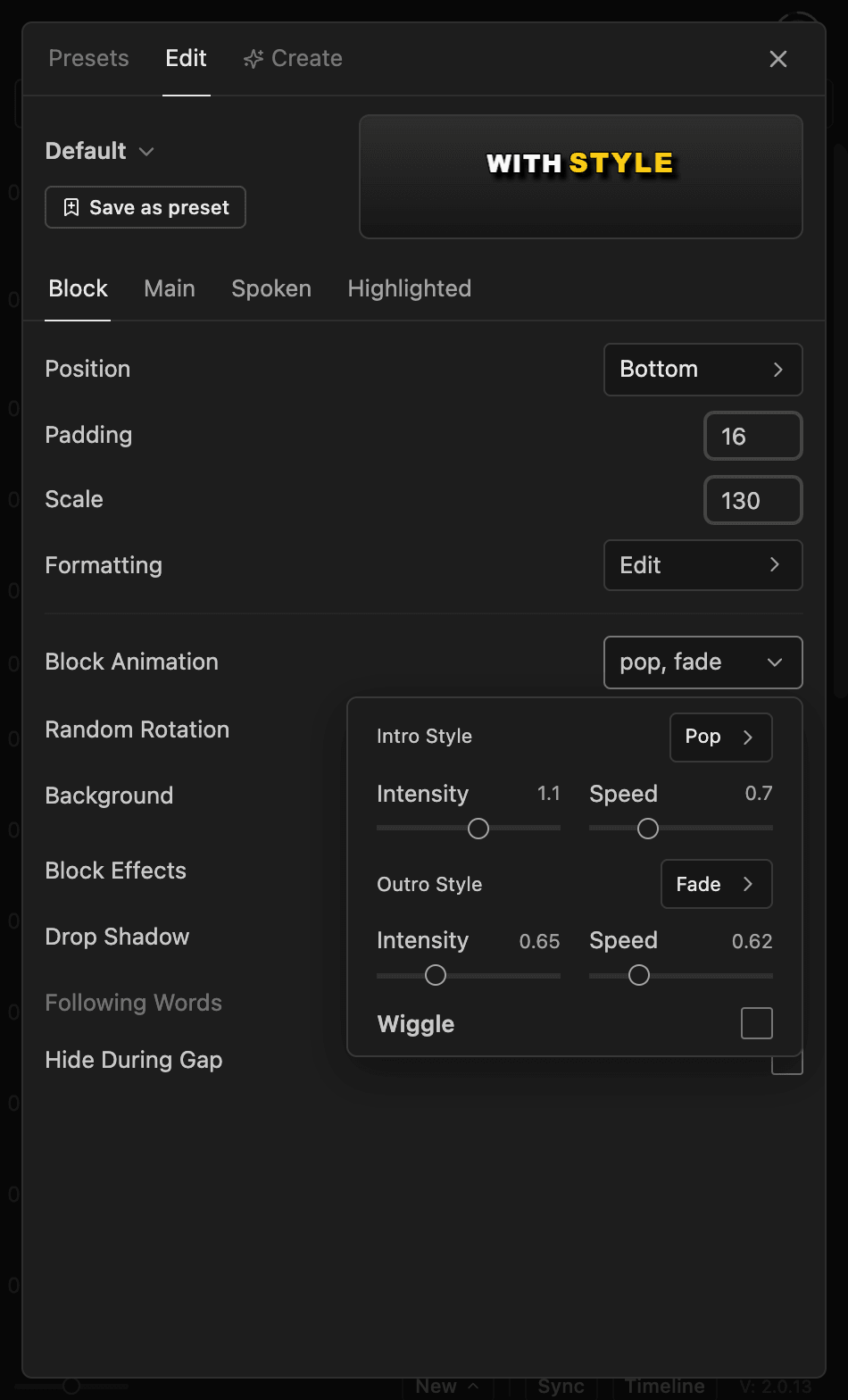
Random Rotation tilts each block by a different amount.
Background#
Click Background and tick Enabled to put a shape behind the whole block. Set Color, Roundness and padding.
For a background behind each word, see Spoken and highlighted words.
Block Effects#
Click Add effect next to Block Effects, such as Drop Shadow. See Block effects.
Following Words#
Tick Following Words to show upcoming words before they're spoken. The number (0 to 100) sets how visible they are. Off, each word appears as it's spoken.
Hide During Gap#
Captions leave the screen after 2 seconds of silence. Turn on Hide During Gap to hide them during any pause longer than Gap Threshold (in seconds).
These two settings apply to every style in the caption set. You can also set them from the Caption Timeline toolbar.
Good to know#
- Captions made with Brevidy 1.9 only offer
Drop ShadowunderBlock Effects, and don't haveScale Lines to Fitor the newer animations. - Lines and characters per caption are on the Text tool. See Line breaks.