How minutes are counted
What uses caption and video workflow minutes in Brevidy 2.0, what's free, and how to check what you have left.
Brevidy counts minutes by the second, and only for audio it hasn't transcribed before. Producer and Team Pro have unlimited captions.
What uses caption minutes#
- Creating captions: the audio your edit uses under the caption layer.
Add TranscriptionandSync, for footage not transcribed before.- Translation, at a quarter of the set's length. See Translate captions.
Re-transcribe insteadwhen upgrading 1.9 captions. The normal upgrade is free. See Upgrading from 1.9.
Each job bills its new audio plus one second, with no one-minute minimum. Clips from different media files are separate jobs.
Several mics#
Each audible track under the caption layer counts on its own: two mics recording the same 10 minutes use about 20 minutes. Muted tracks, disabled clips and clips with the volume all the way down aren't charged, so mute a backup mic before you create captions.
What's free#
Brevidy saves each media file's transcript on your computer and reuses it for free:
Syncafter cutting, trimming or moving clips you already captioned- Deleting captions and creating them again over the same footage
- Pasting captions into another sequence
- Audio with no speech, such as music or silence
- Jobs that fail
Check the cost before a long job#
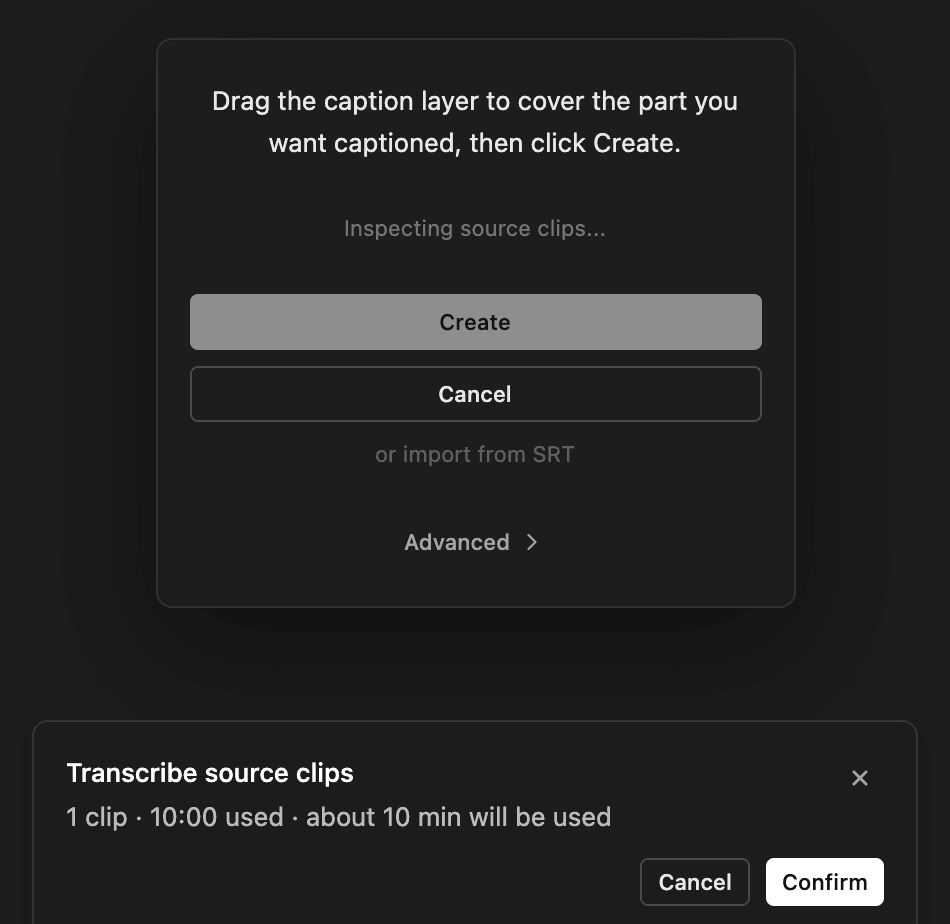
On metered plans, a job over 8 minutes asks first. The Transcribe source clips window (Sync captions for a Sync) shows about how many minutes it will use. Confirm, or cancel at no cost.
Check your minutes#
- In the panel: hover over the ring around your account picture.
- On the website: brevidy.pro/dashboard/usage shows minutes used, what's left and recent jobs.
Good to know#
- Saved transcripts stay on each computer. Footage is billed again on another computer, for a teammate, or after
Clear Transcript Cache. - A track that was muted at Create wasn't transcribed. Turning it on and running
Syncuses minutes. - One job can be up to 120 minutes of audio. For longer edits, caption part of the sequence, then use
Add Transcription. - A job only starts if you have enough minutes for all of it. Otherwise you see
You are out of captioning minutes.Minutes don't roll over.