Main text
Punctuation, font, spacing, case, color and stroke for all caption text, plus fonts that come with Brevidy and the missing-font notice.
The Main tab styles all caption text. Spoken and Highlighted can override it. Open it with Style > Edit > Main.
Show or hide punctuation#
- Click
Stylein the Brevidy panel. - Open the
Edittab. - If your caption set has several styles, pick one in the style switcher.
- Click the
Maintab. - Tick or untick
Include Punctuation, underFont.
The change shows in Premiere a moment later. You don't need to Sync.
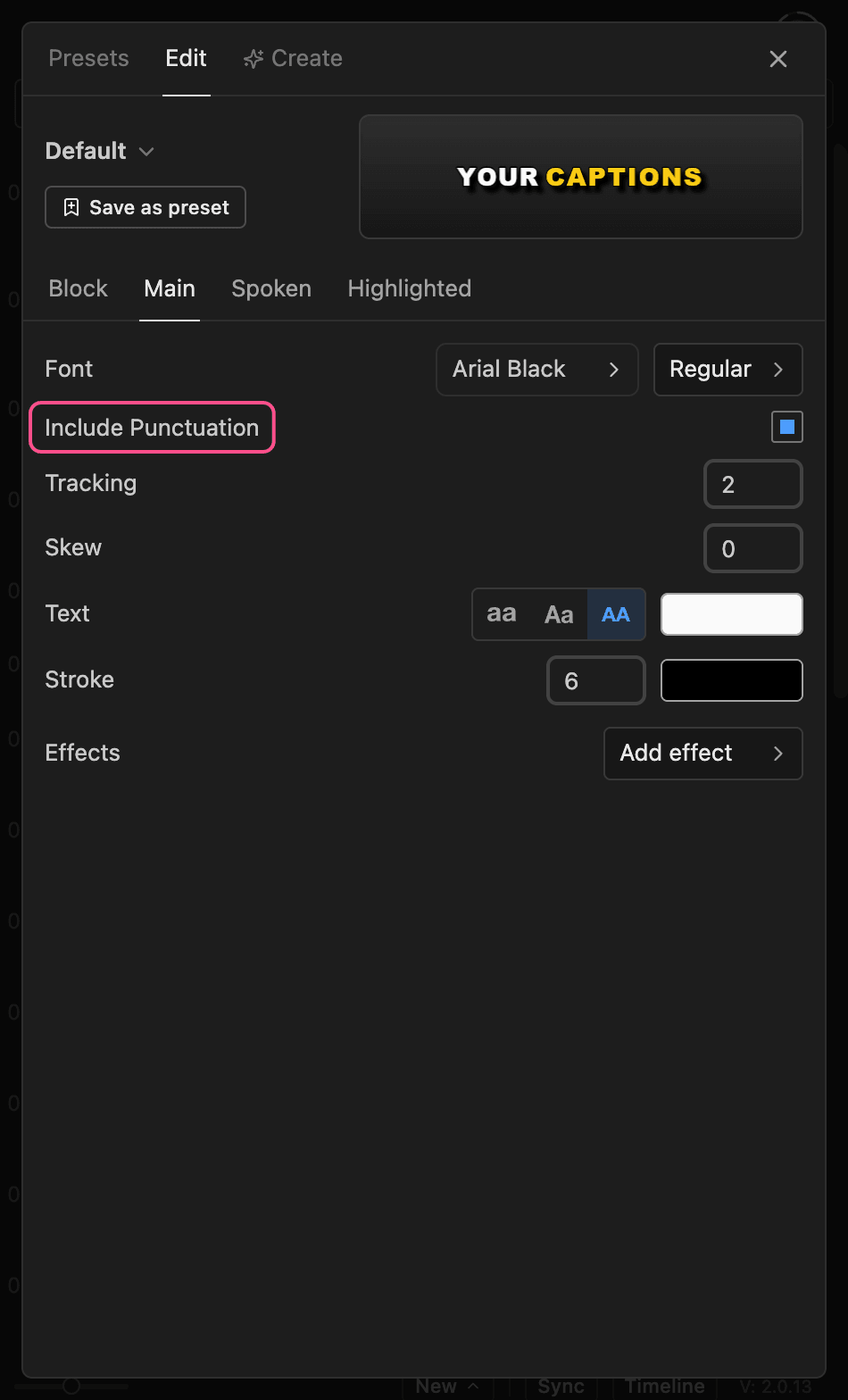
Off, Brevidy hides periods, commas, question and exclamation marks, colons, semicolons and ellipses at the end of a word (full-width ones too), and ¿ and ¡ at the start. Apostrophes, hyphens, quote marks, brackets, dashes and marks inside a word ("3.5", "10:30") stay. A word that is only punctuation disappears.
If it doesn't seem to work:
- Your caption set has more than one style. Set it on each style. See Several styles in one caption set.
- You applied a preset afterwards. Presets carry their own setting. Set it again.
- Brevidy is out of date. Update Brevidy and restart Premiere. See Install Brevidy.
Your transcript and SRT exports keep the punctuation.
Font, spacing and color#
| Setting | What it does |
|---|---|
Font | Font family, then a style such as Bold. See Fonts |
Tracking | Space between letters |
Text | Lowercase, Original case (as transcribed) or Uppercase |
| Fill color | The swatch next to the case buttons: color and opacity, or Gradient |
Stroke | Outline width. The swatch next to it sets the color |
Effects | Text effects such as Glow. See Effects and animations |
Line spacing and alignment are on the Block tab. See Block settings.
Fonts#
Captions can use any font on your computer, plus fonts that come with Brevidy.
- Click the font name next to
Font. - Type in
Search fontsand click a family. - Pick a style in the menu next to it.
Brevidy includes open-license fonts such as Montserrat, Inter, Poppins, Bebas Neue, Anton and TikTok Sans. Every computer with Brevidy has them, so teammates see the same captions.
A font you installed isn't listed#
- In the font picker, click
Rescan system fonts. - Still missing? Open your account picture >
Settings, type the font's PostScript name (for exampleArial-Bold) underCustom Font PostScript Names, clickAdd, thenRefresh Fonts.
On Windows, Adobe Fonts show up once activated in Creative Cloud.
The missing-font notice#
When a caption set or title uses a font this computer doesn't have, Brevidy draws a lookalike and shows a notice at the top of the panel.
Replace with lookalikeswitches the style to the lookalike.Keep and installkeeps the original. Install the font, then clickCheck again.
If the notice says characters "show as boxes", the font doesn't cover your language. Pick one that does.
Good to know#
Highlightedwins overSpoken, which wins overMain.Include PunctuationandTextcase also apply to VTT, TTML, TXT, MCC and SCC exports. See Export captions.- Splitting captions at punctuation is on the Text tool. See Line breaks.
- Captions made with Brevidy 1.9 don't show
Effectsor the gradient fill.