Effects and animations
Reference for every caption text effect, block effect, block animation, word animation and word background animation in Brevidy 2.0.
Every effect and animation in the Style window. They look the same in the preview, the Program Monitor and exports.
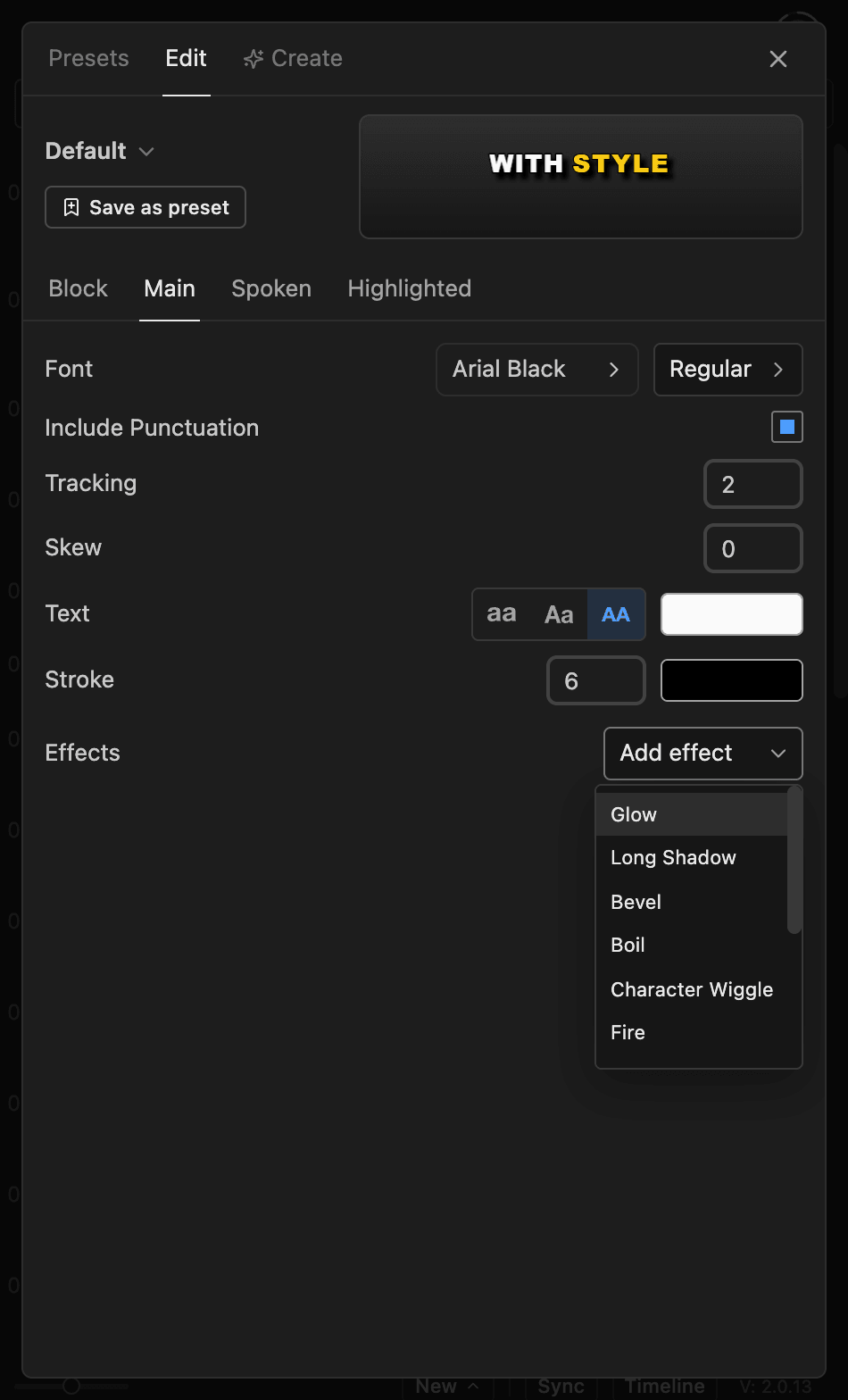
Add or remove an effect#
- Open
Style>Edit. - Open
Main,SpokenorHighlightedfor text effects, orBlockfor block effects. - Click
Add effectand pick one. - Click its row to change its settings, or its
Xto remove it.
Each effect can be added once per tab.
Text effects#
Under Effects on Main (all text), Spoken or Highlighted (those words only).
| Effect | What it does |
|---|---|
Glow | Soft colored halo |
Long Shadow | Solid retro 3D extrusion |
Bevel | Embossed edges |
Boil | Hand-drawn wobbling outlines |
Character Wiggle | Each letter jitters |
Fire | Flames off the letters |
Smoke | Rising smoke |
Light Sweep | Bar of light passing across |
Sparkle | Twinkling glints |
Pixel Skin | Pixel-art letters |
Pixel Twinkle | Popping pixel stars |
Texture | Halftone, grain or scratches in the fill |
Block effects#
Under Block Effects on the Block tab. They cover the whole caption.
| Effect | What it does |
|---|---|
Drop Shadow | Offset shadow |
Backdrop | Soft blurred plate |
Die Cut | Thick sticker border |
Gradient Tint | Color gradient wash |
Light Sweep | Bar of light passing across |
Motion Blur | Smear, only on moving captions |
God Rays | Light rays fanning down. Leave room in the frame |
Embers | Floating glowing embers |
Snow | Snow that settles on letters |
Dust | Fine floating motes |
Block animations#
Intro Style and Outro Style in Block Animation on the Block tab. Descriptions are for the intro.
| Animation | What it looks like |
|---|---|
Fade | Fades in |
Pop, Pop Spin | Springs up from half size (with a twist) |
Zoom, Zoom Spin | Shrinks into place (with a twist) |
Slide Up, Slide Down, Slide Left, Slide Right | Moves a short way into place |
Wave | Liquid ripple |
Glitch | Slices tear, then lock |
Slam Up, Slam Down, Slam Left, Slam Right | Flies in with a puff of dust |
Warp Zoom, Warp Pop | Speed streaks snap sharp |
Prism | RGB fringes snap together |
Ripple | Broad ripples calm down |
Vapor | Heat haze |
Shatter | Glass shards fly together |
Aurora | Soft rainbow waves |
Lumen | Morphs from the previous caption |
Spellburst | Pixel sparks and rings |
None | Cuts on and off |
Word animations#
Animation on the Spoken or Highlighted tab. Plays on each word as it's spoken.
| Animation | What it looks like |
|---|---|
Pop | Springs past full size, then settles |
Zoom | Shrinks into place |
Fade | Fades in |
Blur | Sharpens from out of focus |
Slide Up, Slide Down, Slide Left | Slides into place |
Reveal Up, Reveal Down, Reveal Left, Reveal Right | Slides out of an invisible slot |
Slam Up, Slam Down, Slam Left, Slam Right | Flies in with a puff of dust |
Fire | Burns away to reveal the word |
Flicker | Strobes like neon, then stays on |
Pixel Spawn | Builds from pixel cells |
Spark Pop | Sparks flash and spray off |
None | Switches straight to the spoken style |
Word background animations#
Word BG > Animation on the Spoken or Highlighted tab. Animates the shape behind each word.
| Animation | What it looks like |
|---|---|
Fade | Fades in |
Pop, Pop X, Pop Y | Grows from half size, width or height |
Zoom, Zoom X, Zoom Y | Shrinks onto the word |
Slide Up, Slide Down, Slide Left, Slide Right | Slides into place |
None | Appears with the word |
Good to know#
- Captions made with Brevidy 1.9 have no text effects, only
Drop Shadowas a block effect, and none of the newer animations. See Upgrading from 1.9.