Creating animated captions in Premiere Pro can take more time than it should. Rendering, fixing caption timing after timeline edits, switching between styles, and getting text to look exactly how you want can all slow down your workflow.
Brevidy 2.0 was rebuilt to change that. We rebuilt the rendering engine from the ground up, redesigned how captions work with your timeline, introduced a new way to create and manage styles, and added an entirely new title system. The result is a faster, more flexible Brevidy built for the way editors actually work.
Brevidy 2.0 Makes Captioning in Premiere Pro 10x Faster
The biggest change in Brevidy 2.0 starts with the engine powering it. Captions now render through Brevidy’s own native Premiere effect, making renders up to 10x faster. There are no MOGRTs to manage, which means faster previews, smoother editing, and more room for new styles and effects.
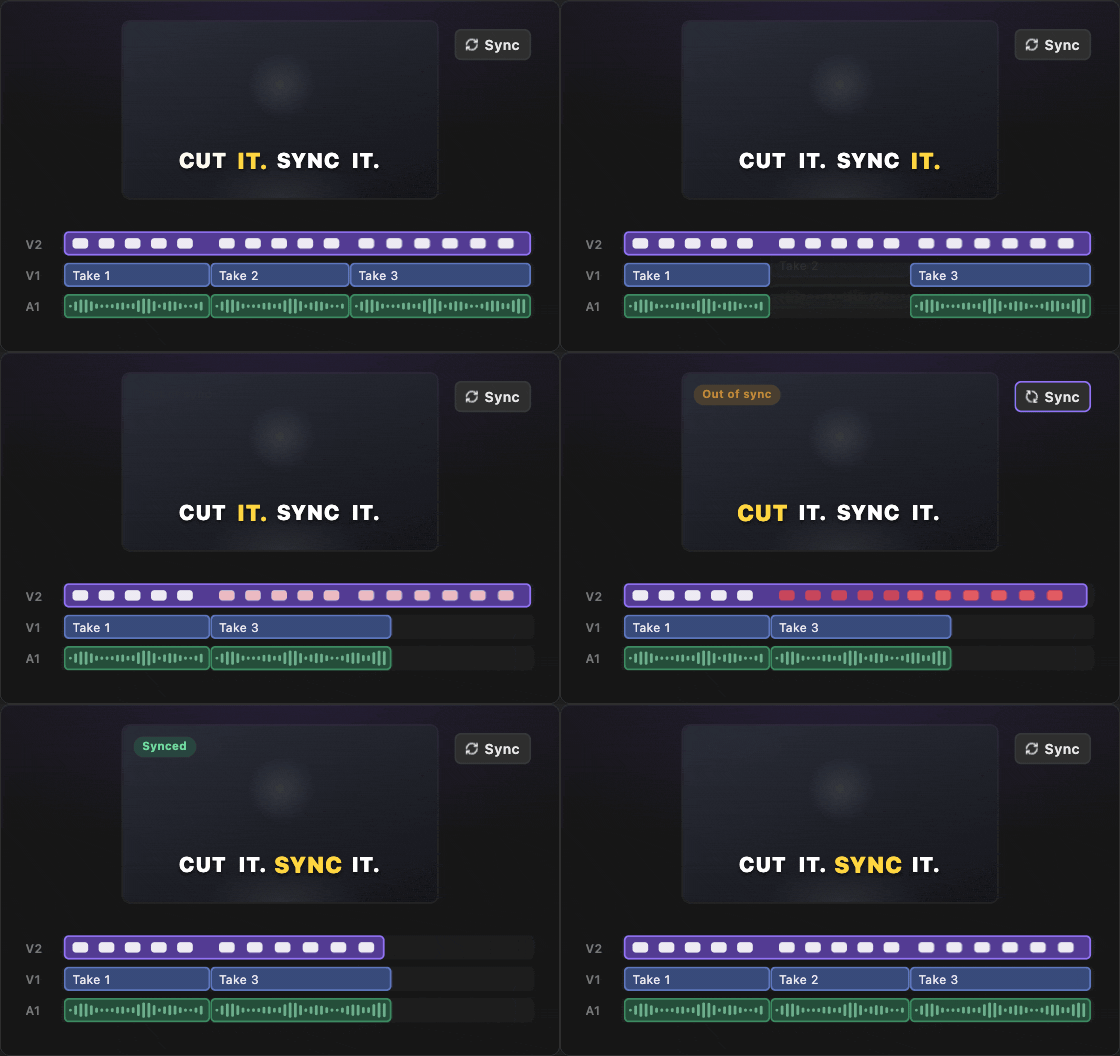
We also rebuilt the way transcription works. Brevidy now transcribes your source footage, so your transcript stays connected to the clips you’re actually editing. Cut, trim, or move footage, hit Sync, and Brevidy automatically realigns your captions with the updated timeline. Better still, Brevidy remembers what it has already transcribed. Reuse the same footage in another sequence and you won’t have to start over, your transcription data and corrections come with it.
That becomes especially useful when revisions start. If a client asks you to remove a few seconds from the middle of a video, your captions no longer have to become another thing you need to fix manually. Make the edit, hit Sync, and Brevidy catches up with the timeline. It builds on the same goal of helping editors work faster in Premiere Pro, but now the captions themselves are much better at keeping up with the edit.
A New Way to Create and Style Animated Captions
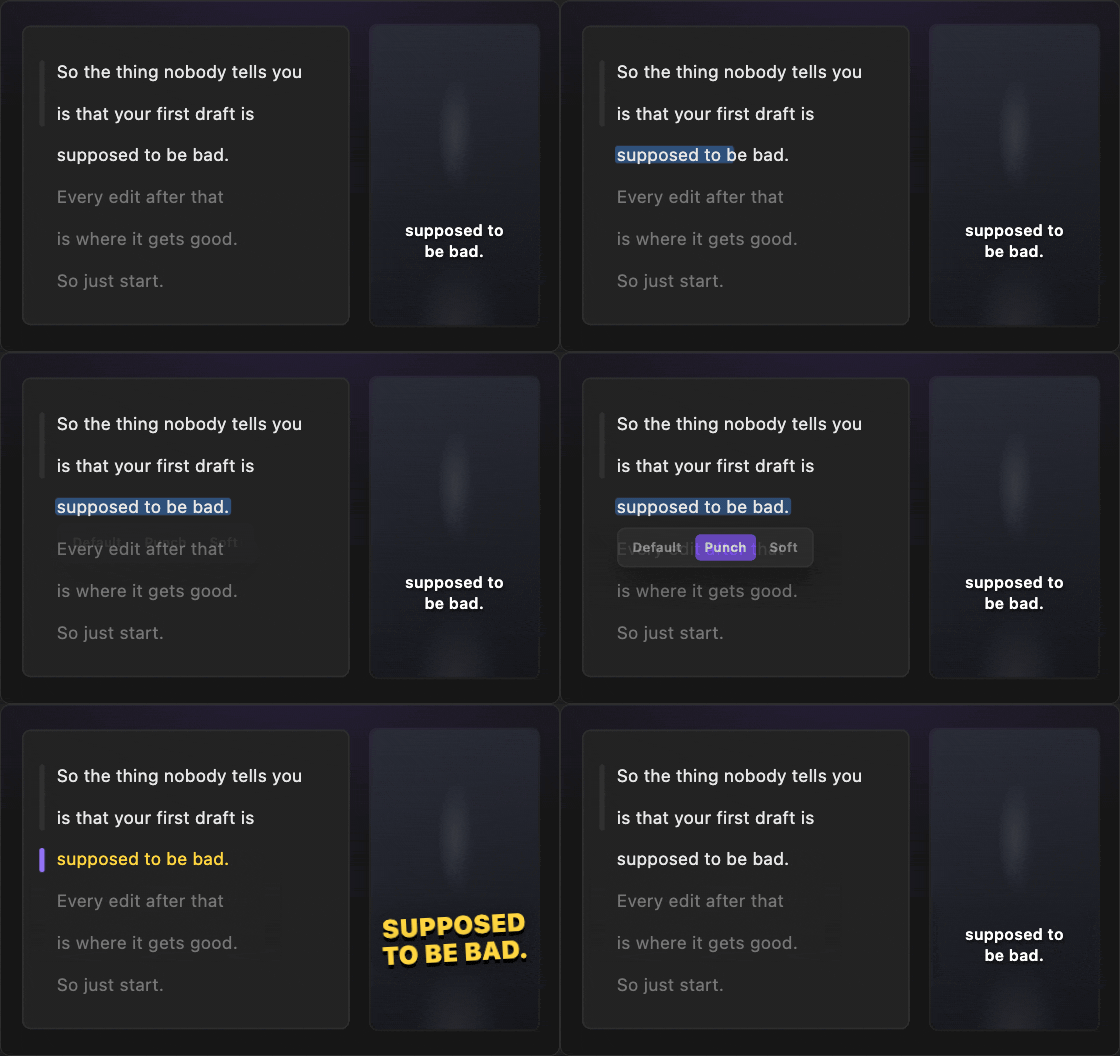
Speed was only one part of what we wanted to change with Brevidy 2.0. The other was how quickly you can go from having an idea for a caption style to actually seeing it on screen. With Named Styles, you can save a look, select the words you want to change, and apply that style directly in the transcript. The Style Rail shows where each style appears, and those styling choices remain intact when you Sync after making an edit.
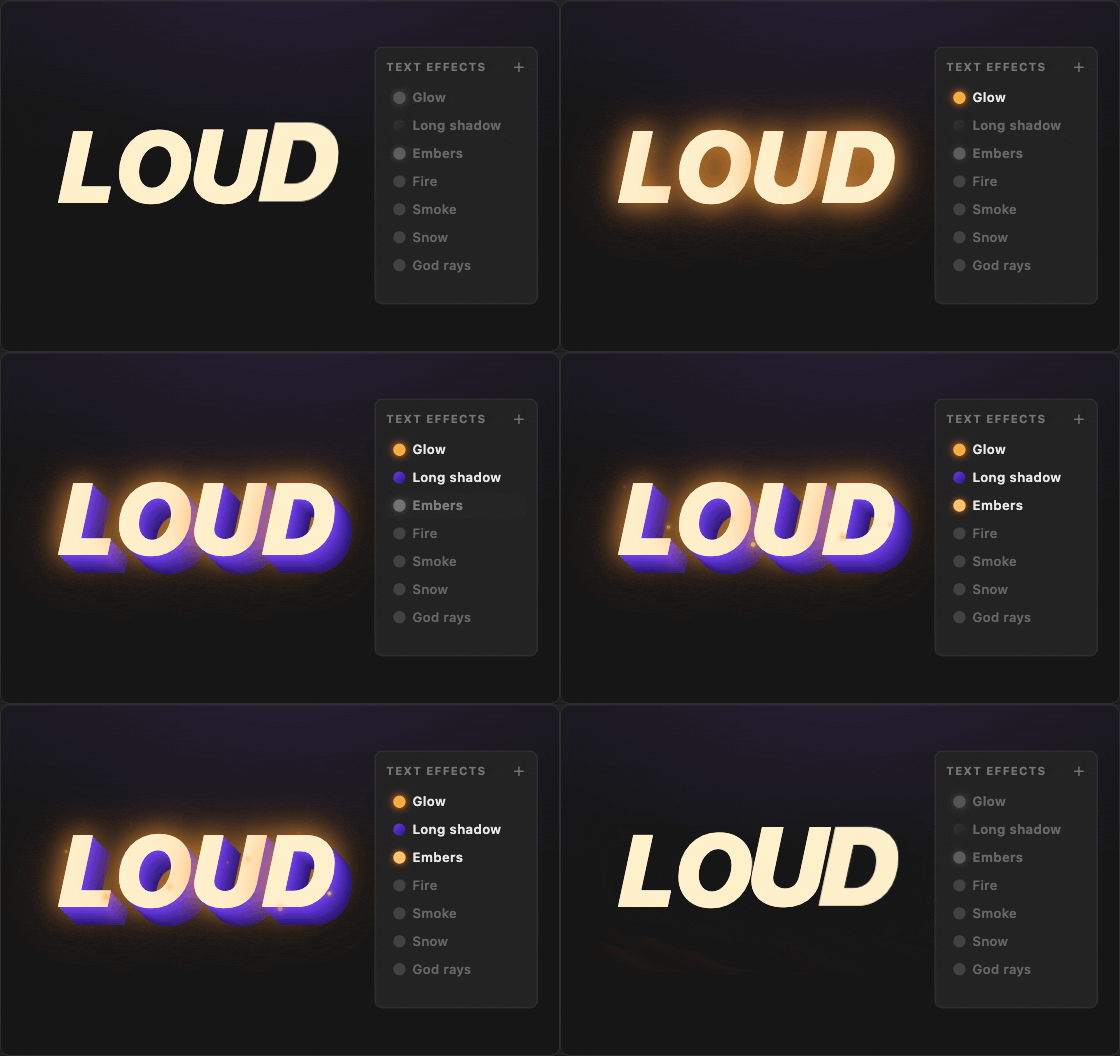
The Style Editor has grown with it. Brevidy 2.0 includes 40+ in and out animations, along with stackable effects like glow, long shadow, fire, smoke, embers, snow, god rays, motion blur, and more. But Preset Studio changes how you get to those styles in the first place.
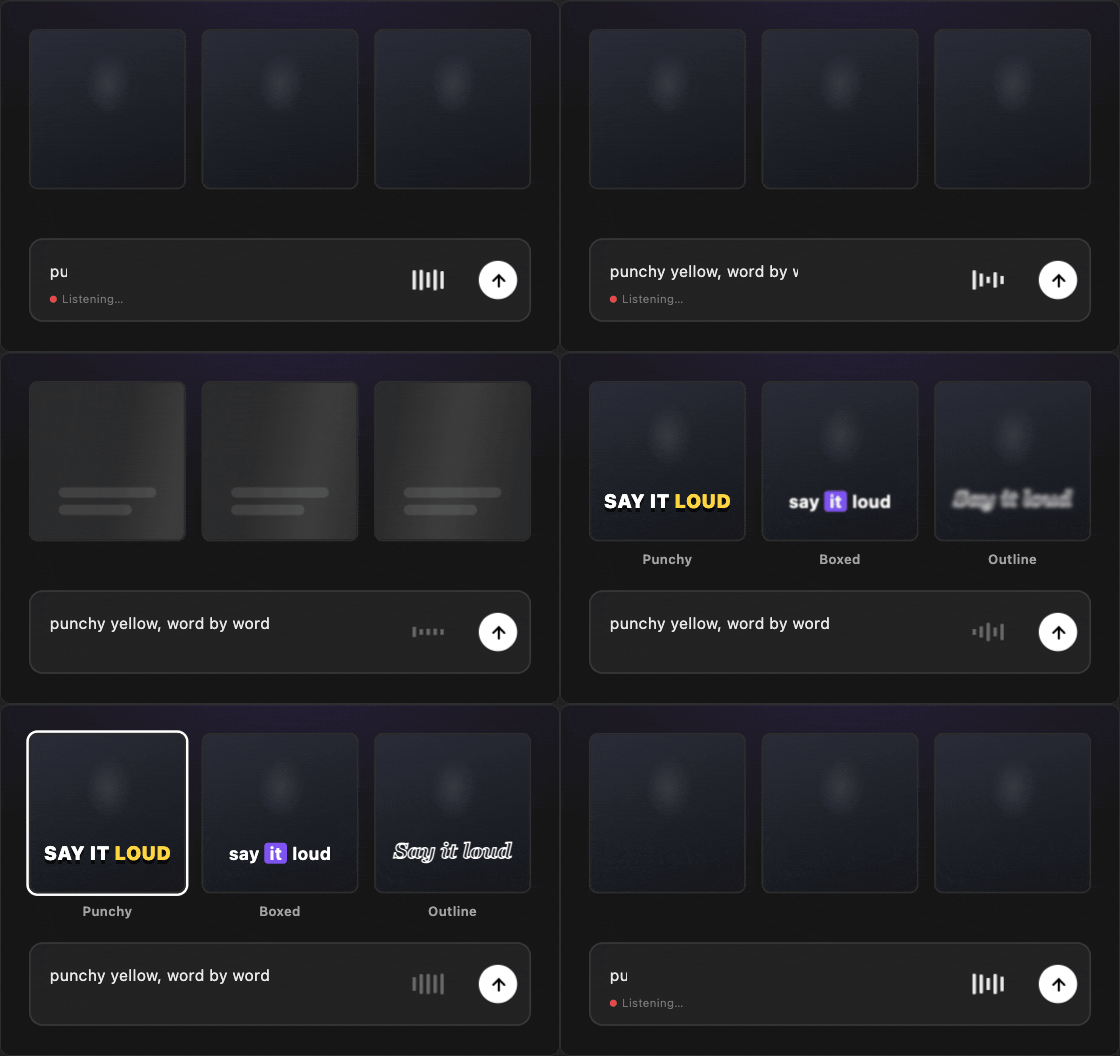
Building on Brevidy’s AI-powered editing workflow, Preset Studio lets you describe the look you want in plain language and generates caption styles you can preview, tweak, and keep. You can start with something visual. Drop in a screenshot of a style you like, and Brevidy can use it as a reference for the look it creates. That’s what makes Preset Studio interesting. You don’t need to translate the idea in your head into a long list of settings before you can see whether it works. You bring the creative direction, Brevidy gives you somewhere to start, and you can keep refining from there.
When you land on something worth keeping, save it as a preset. And for editors using Brevidy Team Plans, shared presets can help keep the same visual language consistent across editors and projects.
Introducing Brevidy Titles
Sometimes a line of dialogue needs to do more than appear as a caption. Maybe it’s the hook at the beginning of a video. Maybe one phrase deserves to take over the frame. Or maybe you want a few words from the speaker to become part of the visual storytelling rather than simply following the dialogue.
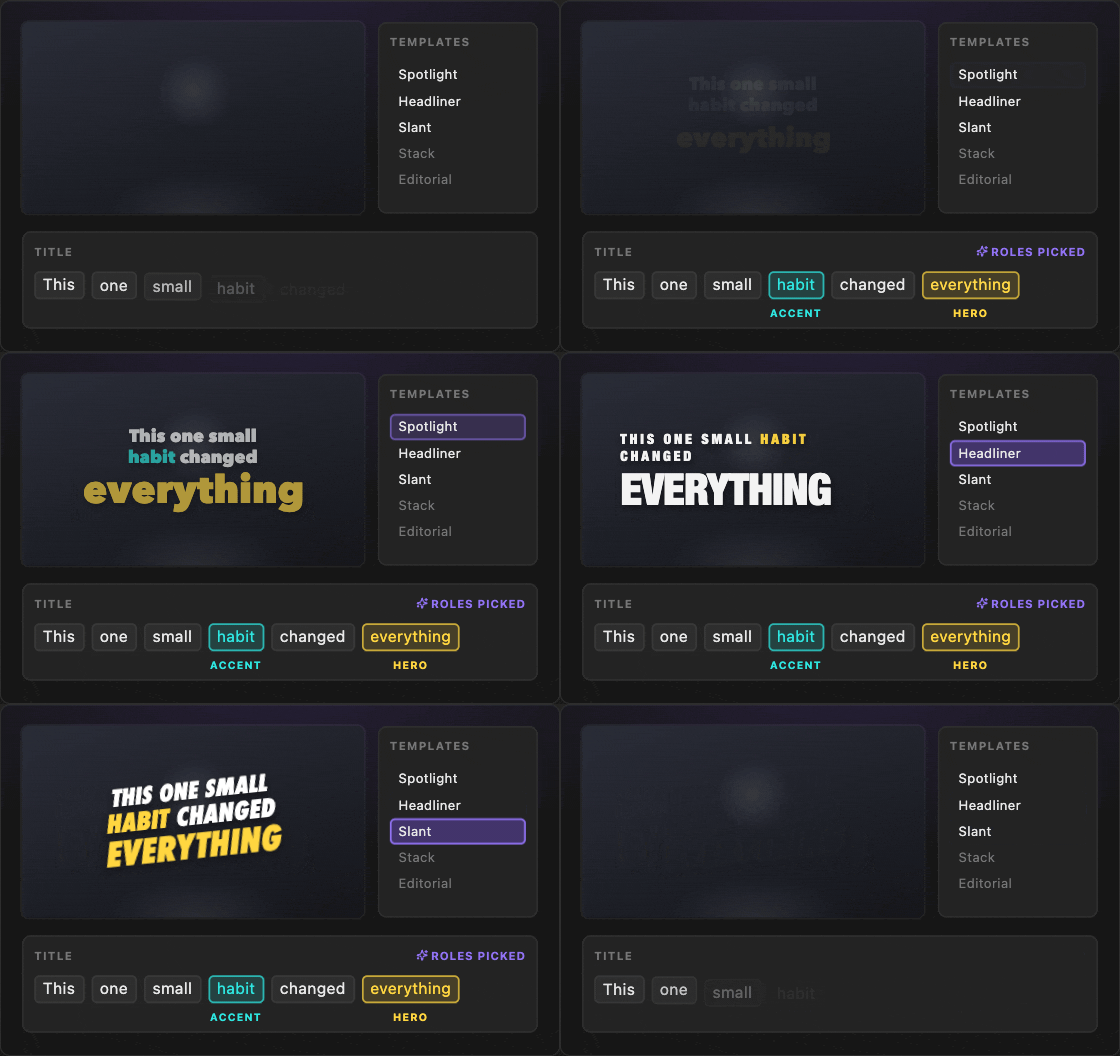
That’s where Brevidy Titles comes in. Type a line and Brevidy can identify the hero word for you. Choose a template, and the title automatically sizes, stacks, and colors the words to create the layout while keeping every word editable afterward. The layouts also adapt across different aspect ratios.
If you’re already working from a transcript, you can select a phrase and Pop Out as Title, turning that moment into its own title clip. From there, you can change the layout, typography, scale, positioning, animations, and styling without rebuilding the title from scratch. And Preset Studio isn’t limited to captions. The same idea of describing a look, exploring different directions, and refining the result extends into titles too.
Brevidy originally set out to make it easier to create animated captions in Premiere Pro. Brevidy Titles takes that idea further, giving editors a faster way to turn the words already driving an edit into designed moments on screen.
Start Creating With the Brevidy 2.0 Beta
There’s plenty more inside Brevidy 2.0. The transcript editor has been rebuilt with faster editing, search, and support for right-to-left languages. Transcription can skip muted tracks and clips under half a second. You can retime words, control how captions animate and reflow, stack effects, and keep refining styles after Preset Studio gives you a starting point.
But 2.0 isn’t really about having a longer feature list. It’s about giving all of those features a better foundation. Captions and titles now share one native renderer inside Premiere. Sync keeps captions connected to an evolving edit. Named Styles make it easier to change the visual language throughout a transcript. Preset Studio gives you a faster path from an idea to something you can actually see and refine. And Titles extend Brevidy beyond caption styling into a broader motion-text workflow.
Brevidy 2.0 is still in beta, and that’s intentional. This is where the next version of Brevidy gets shaped. Try it on real projects, push the new styles and titles, and let us know what breaks, what’s missing, and what you want to see next.
Your existing Brevidy 1.x captions will continue to work, so you can start experimenting with 2.0 without leaving your previous projects behind. Join the Brevidy 2.0 Beta and start creating.