Somewhere between feedback, notes, and revisions, Premiere Pro workflows start to get messy. Notes end up in random documents. Feedback gets buried in chats. Tasks sit in your head or worse, get forgotten completely. And at some point, you’re no longer just editing, you’re trying to keep track of everything around the edit.
That’s the gap ShotNotes is trying to close. It brings note-taking and task tracking directly into Premiere Pro, so everything stays tied to the timeline instead of floating outside it. Instead of juggling between tools, you’re working with context, notes live exactly where the work happens. And once that layer is inside the timeline, the whole workflow starts to feel less scattered and a lot more under control.
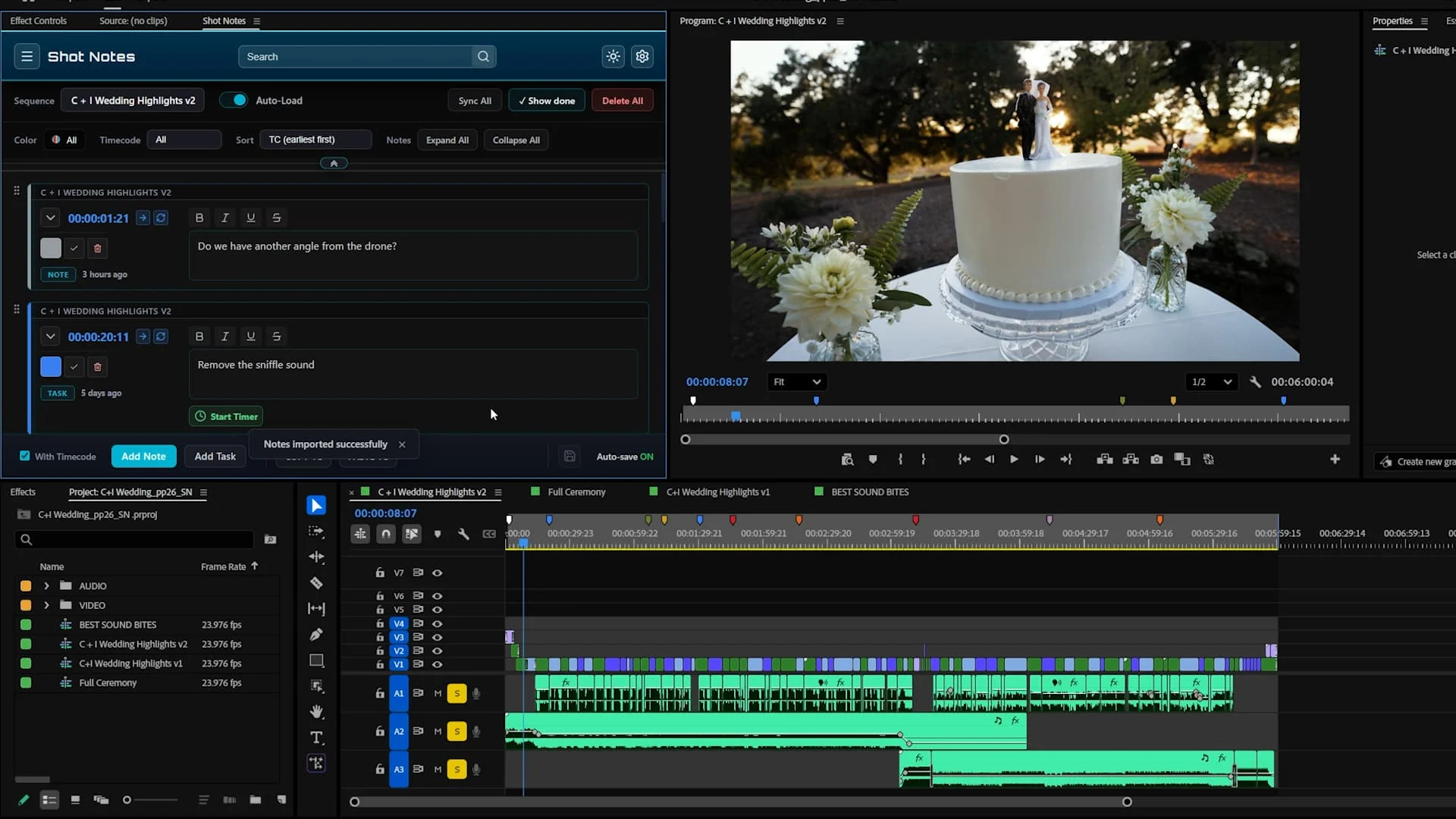
ShotNotes Adds Timeline-Based Task Tracking Inside Premiere Pro Workflows
ShotNotes doesn’t try to reinvent editing, it just fixes where things usually fall apart. Instead of keeping notes in a separate app or trying to match feedback to the timeline later, you can attach tasks directly to specific moments in your edit. So when something needs fixing, it’s already sitting exactly where it belongs.
That alone changes how revisions feel. You’re not guessing what a comment refers to or jumping between tabs, you’re working with everything in front of you, in context. Digital Anarchy goes deeper into how this works on its ShotNotes feature page, where notes are tied to timecode and sequences inside Premiere Pro, making the whole process more direct and a lot less scattered.
Why Embedded Notes Make Editing Faster and Clearer
When feedback lives outside the timeline, things get lost quickly. A comment might make sense in a chat or document, but feel completely unclear once you’re actually inside the edit. Embedding notes directly into the workflow solves that in a very practical way.
Instead of interpreting scattered instructions or jumping back and forth to confirm details, editors can see exactly what needs attention and exactly where it belongs in the timeline. This is already reflected in how Frame.io integrates with Premiere Pro for review workflows that connect feedback directly to specific moments in the edit. That structure removes friction. Revisions move faster, communication becomes clearer, and everyone stays aligned on the same version of the project without constant back-and-forth.

For editors looking to speed up content creation inside Premiere Pro, Brevidy helps turn long-form edits into engaging, social-ready videos with AI-powered captions, auto-clipping tools, and built-in creative elements, all without leaving your timeline. Start your 7-day free trial today and experience a faster way to create social content inside Premiere Pro with Brevidy.