Krotos showed up at NAB 2026 with something that doesn’t look flashy at first but could quietly reshape how editors handle sound inside Adobe Premiere Pro.
Instead of treating audio as a separate step, this new Video-to-Sound integration brings sound creation straight into the editing timeline. That means editors can generate audio as they work, without bouncing between tools or interrupting their flow.
And that’s the real shift here. Not just faster workflows but fewer breaks in the creative process. Sound is no longer something you “add later.” It’s starting to behave like something that belongs in the edit from the very beginning.
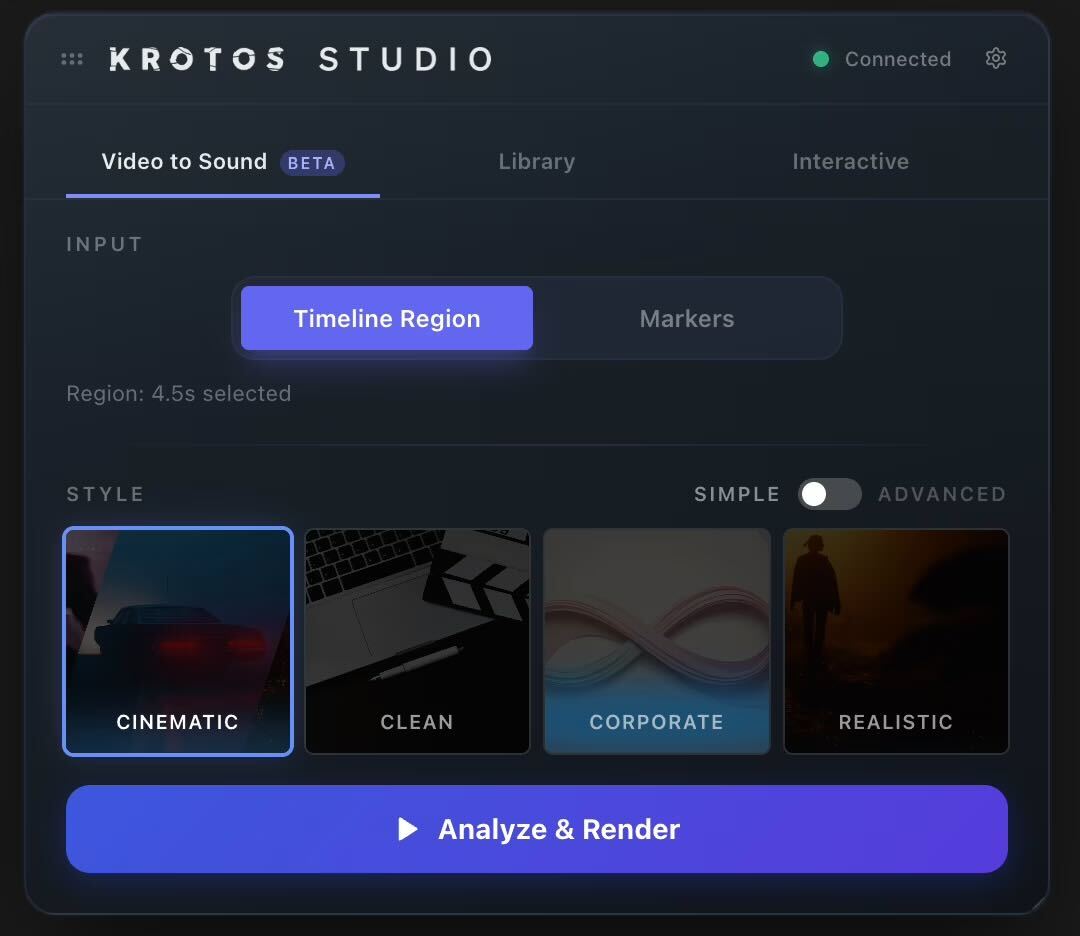
Krotos Turns Adobe Premiere Pro Into a Video-to-Sound Editing Workspace
The biggest takeaway from Krotos’ update isn’t just the feature itself, it’s where it lives, By embedding directly into Premiere Pro, Krotos removes one of the biggest pain points in post-production: tool switching. Editors no longer need to leave their timeline to search, test, or layer sound effects. Everything happens inside the same space where the cut is being built.
That might sound small, but in practice, it changes how edits unfold. Instead of working visually first and fixing audio later, editors can now build scenes with sound already in mind. As reported in this NAB 2026 breakdown of Krotos’ Premiere Pro integration, the aim is to collapse the gap between visual editing and audio design, bringing both into one continuous workflow.
This direction isn’t new in spirit, though. Platforms like Adobe have been steadily pushing toward deeper ecosystem integration, much like Adobe’s broader Creative Cloud workflow ecosystem, where tools are designed to work together rather than stand alone.
AI in Premiere Pro Is Getting Less Visible and More Useful
AI has been a buzzword in creative tools for a while, but what’s changing now is how it shows up inside the workflow. With Krotos’ integration, it isn’t positioned as a feature you actively engage with, it operates in the background, mapping sound to visuals and handling placement inside the timeline.
There’s no separate interface or extra layer to manage. It blends directly into the editing process, much like what’s emerging in tools such as Runway, where AI is becoming less of a standalone experience and more of an embedded system that supports the work as it happens. The shift is subtle, but important: less about “using AI,” more about letting it quietly improve how work gets done.
That direction also aligns with tools like Brevidy, which brings AI directly into Premiere Pro to handle tasks like captions and clip extraction, thus speeding up how content is prepared for formats that demand fast turnaround and consistency.
Why NAB 2026 Is Pointing Toward Fully Integrated Editing Workflows
If you look at what’s being announced across NAB 2026, a pattern starts to show. Tools are becoming less isolated. Instead of jumping between multiple apps for editing, sound design, color, and finishing, everything is slowly being pulled into more connected environments. Krotos’ move fits right into that shift.
It’s part of a broader push toward workflows where video and audio aren’t separate stages, they’re part of the same process. And once that becomes the norm, the traditional editing pipeline starts to feel outdated.
Even platforms like Davinci Resolve have leaned heavily into this all-in-one philosophy, combining editing, color grading, and audio in one place. Krotos’ integration reinforces that direction, less fragmentation, more continuity.